Advantages Of Using PowerPoint Presentations For Business and Website Design
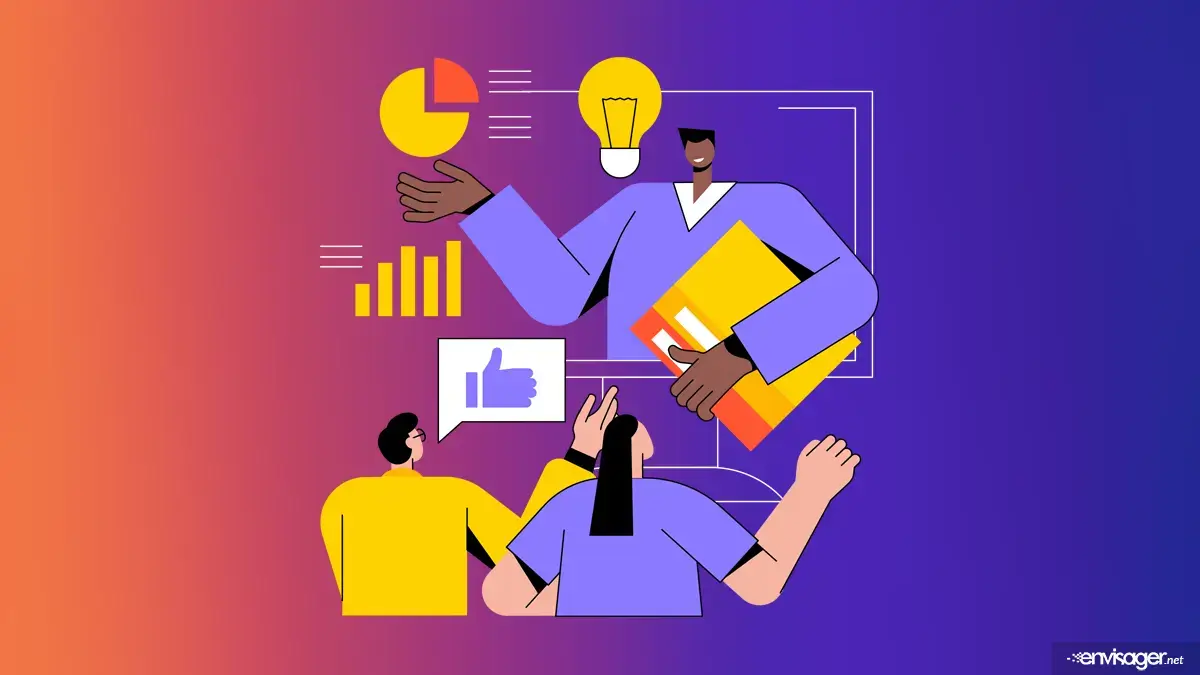

PowerPoint presentations have been a staple of business communication for decades. From sales presentations and employee training to proposals and company meetings, businesses rely on presentations to transform information into something audiences can quickly understand. But the principles behind an effective business presentation extend far beyond PowerPoint.
There are many techniques that make a presentation effective. For example, strong visuals, concise messaging, clear hierarch, storytelling, and an intentional flow of information. These same techniques can also make a business website more engaging and easier to use.
For small businesses in particular, understanding the advantages of PowerPoint presentations for business can provide valuable lessons for presenting products, services and brand messaging online.


Do people still use powerpoint presentations for business?
Yes, absolutely. Since the inception of powerpoint presentations for business, there are now hundreds of other platforms that are used in a similar way. This technique is still popular because visual presentation matters in business.
People don’t interact with business information simply by reading from beginning to end. They scan headlines, notice images, compare options and look for the information most relevant to them. That’s true whether someone is viewing a presentation or visiting a website.
An effective PowerPoint presentation guides viewers through information in a deliberate sequence. A well-designed business website should accomplish much the same thing. Instead of overwhelming visitors with large blocks of text, businesses can combine concise messaging with photography, graphics, icons, statistics, testimonials and calls to action. The result is information that is easier to understand, and a more engaging experience for potential customers.
1. Powerpoint simplifies content
One of the greatest advantages of PowerPoint presentations for business is the ability to break complicated ideas into smaller, understandable pieces. Rather than presenting an audience with pages of information at once, a presentation separates the message into individual slides.
Website design uses a similar principle. A business homepage, for example, shouldn’t attempt to explain everything about the company in one enormous section. Information can instead be divided into purposeful sections covering services, company information, testimonials, frequently asked questions and the next action visitors should take.
Individual service pages can provide additional information for visitors who want to learn more. This creates a natural information hierarchy that allows customers to find what they need without being overwhelmed.
2. Visuals clarify your message
Presentations give businesses an opportunity to support written information with visual content. Photographs, illustrations, diagrams, charts and other graphics can communicate an idea faster than text alone.
The same principle applies to website design. A professional business website shouldn’t simply decorate pages with images. Visual elements should help communicate the company’s message.
For example, a service business might use photographs to demonstrate completed projects, while a consultant could use charts or graphics to explain a process. An ecommerce business can use high-quality product photography to help shoppers evaluate products before purchasing. When visual content has a purpose, it becomes part of the communication strategy rather than merely decoration.
3. Visual hierarchy
Good presentations establish hierarchy through elements such as slide titles, headings, typography, spacing, images and emphasis. Professional website design relies on many of the same principles.
A visitor should be able to quickly distinguish a page’s main headline from its supporting information. Important calls to action should stand out. Related information should be visually grouped together.
Typography also plays an important role. Using too many fonts, font sizes or competing design elements can make both presentations and websites feel disorganized. Consistent typography and spacing create structure and help visitors understand the relationship between different pieces of information. Good visual hierarchy doesn’t merely make a website look better. It makes the website easier to use.
4. Storytelling
PowerPoint presentations for business help tell a story because the presentation typically have a beginning, middle and end. Instead of presenting random facts, they take viewers through a story.
A website can do the same. Consider the flow of a small business homepage. The visitor might first learn what the company does, then discover the problems it solves, explore its services, see examples of its work, read customer testimonials and finally encounter a call to action.
Each section moves the visitor further into the company’s story. As a result, this approach is much more effective than treating a website as a collection of unrelated blocks of information.
5. Supports website content
PowerPoint presentations can support website content. Existing presentations usually contain information that can be repurposed into valuable website content. For example, a company presentation might contain statistics, step-by-step processes, faqs, customer success stores, and educational material.
Instead of allowing a useful presentation to sit forgotten on someone’s computer, businesses can identify the strongest information and adapt it for their website and content marketing strategy. This also helps create consistency between online and offline marketing materials.
6. Mobile design impact
Another important difference between tradition presentations and modern websites is that websites have to adapt to different screen sizes. A presentation may be designed for a predictable screen or projector. On the other hand, a business website could be viewed on a desktop computer, laptop, tablet or smartphone.
That means visual presentation has to remain effective as the layout changes. Responsive website design considers how headlines, images, buttons, columns and other elements behave across different devices. Consequently, a beautiful desktop layout that becomes confusing on a smartphone isn’t an effective website. However, the information hierarchy and visual story should remain clear regardless of the device a customer uses.
From powerpoint presentation to powerful website presentation
PowerPoint remains a useful tool for communicating business ideas, but some of its most valuable lessons aren’t really about PowerPoint at all. They’re about how information is presented. Clear hierarchy, compelling visuals, focused messaging, consistent branding and logical storytelling improve almost every form of business communication, including your website.
Your website is often one of the first places potential customers interact with your business. Unlike a presentation delivered at a scheduled meeting, your website is available around the clock to introduce your company, explain your services and help customers decide whether they want to work with you. That makes thoughtful presentation an essential part of professional website design.
Bring better visual communication to your business website
At Envisager Studio, we design WordPress websites that combine visual presentation, thoughtful content organization and functionality to help small businesses communicate effectively online.
A successful website shouldn’t simply look attractive. It should help visitors understand who you are, what you offer, why they should choose your business and what they should do next.
If your existing website no longer represents your business, or you’re ready to establish a stronger online presence, explore our WordPress website design services or contact us at Envisager Studio to discuss your project.
You may also enjoy reading: Website design time

Gregory Meyer
DIGITAL MARKETING DIRECTOR
Gregory is the Analyst & Digital Marketing Director at Envisager Studio. His data collection is an important part of each client’s unique website design and social media strategy. In his spare time, he writes about web design analytics, social media, visual marketing, and social influence.
Related Posts